Kustodian
Sometimes you just need to query your tenant data across Graph, Defender, Azure in the same language without jumping through portals.

I do enjoy the odd KQL query as it lets me do filtering, aggregation, transformation etc of data in a human-readable kind of way. And for those working with Microsoft Defender, Azure Data Explorer or Azure Resource Graph this is very familiar.
But I always missed having it for Microsoft Graph. There is so much fun data there and its only available through REST requests with limited ODATA filtering and selection possibilities so you often need to do extra processing afterwards.
Going from REST to KQL
Since there are KQL frameworks out there now and the Monaco editor, its possible to basically add KQL support to whatever you want.
Here's one tutorial by Microsoft.
Given that, I figured it was time to create a tool that lets you write KQL against Microsoft Graph: Kustodian.
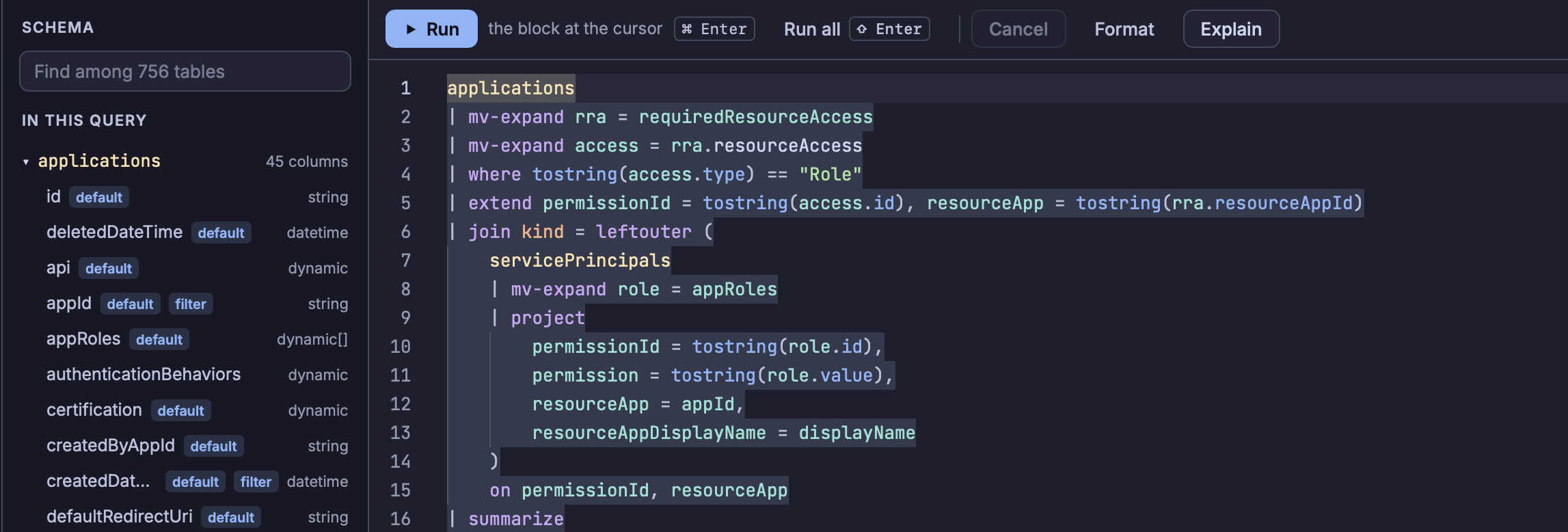
This means instead of calling multiple endpoints such as:
- https://graph.microsoft.com/beta/applications
- https://graph.microsoft.com/beta/servicePrincipals
and then further parse and massage the results to give me a list of Entra ID Applications with associated permissions with display names (the applications otherwise just gives you UUIDs of which permissions it has), you can write a KQL like this:
applications
| mv-expand rra = requiredResourceAccess
| mv-expand access = rra.resourceAccess
| where tostring(access.type) == "Role"
| extend permissionId = tostring(access.id), resourceApp = tostring(rra.resourceAppId)
| join kind = leftouter (
    servicePrincipals
    | mv-expand role = appRoles
    | project
        permissionId = tostring(role.id),
        permission = tostring(role.value),
        resourceApp = appId,
        resourceAppDisplayName = displayName
    )
    on permissionId, resourceApp
| summarize
    permissions = make_set(coalesce(strcat(resourceAppDisplayName, ":", permission), permissionId))
    by displayName, appId
| order by displayName asc
Which quite neatly gives us everything like this:
| displayName | appId | permissions |
|---|---|---|
| ACME vulnerability management | 94e8a244-7f93-445e-be1f-9e111a903984 | ["Microsoft Graph:SecurityAlert.ReadWrite.All"] |
| Maester | 05029804-d80f-4653-9121-d82993265376 | ["Microsoft Graph:Directory.Read.All","Microsoft Graph:Reports.Read.All"] |
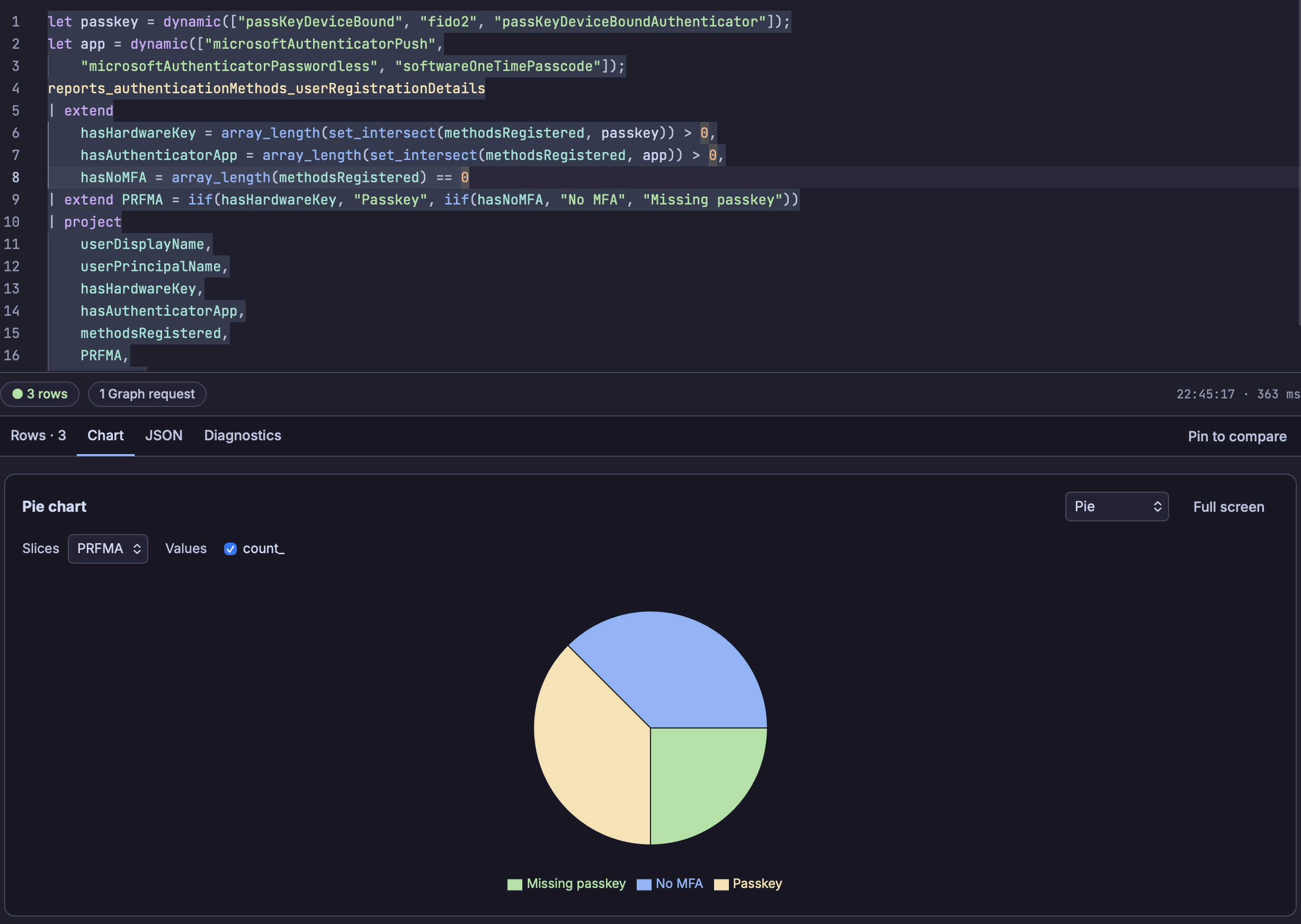
From there we can also visualize the results in various charts such as querying who has registered for phishing-resistant MFA and who hasn't and then show it as a pie chart:
Since Defender and Azure Resource Graph already uses KQL, adding those as sources were more straightforward and those queries are just passed on to API calls that already support it.
So, now Kustodian lets you query these different sources from the same tool instead of hopping between tools in the Azure portal or other portals.
But what about the permissions?
Querying the various sources requires having a Entra ID application that grants delegated permissions and to get started quickly, Kustodian defaults to piggybacking on the publicly known Azure CLI application which has a set of permissions that lets Azure CLI perform the tasks it does and we can use that to access Microsoft Graph and Azure Resource Graph.
Of course, Azure CLI has its use cases so it won't have all the permissions needed to query all of Microsoft Graph, but its a start and gets you querying right away.
The other publicly known application we can use is the Microsoft Graph Command Line Tool which is used by the PowerShell Graph modules. This one lets us also request new scopes, but that requires you to either have a privileged role or request an admin to consent to the new permissions.
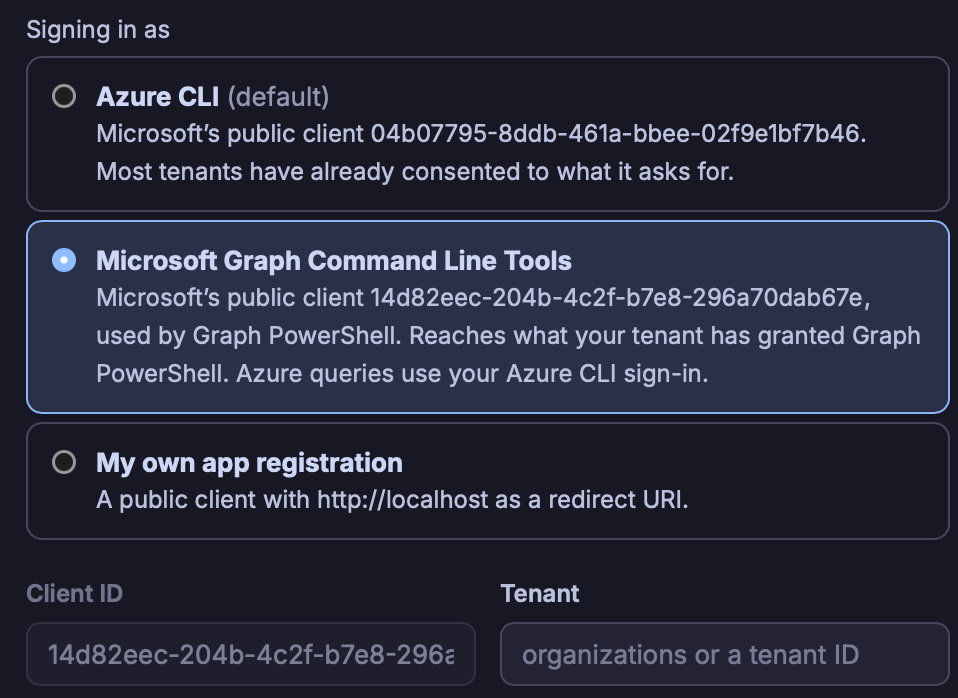
The third way is to create your very own registration.
External tools
I often find that once I have the data I need, I also want to do something with them such as restart all virtual machines that matches my query.
To do this, Kustodian allows you to configure various external tools that take parameters which gets filled by Kustodian when you run the tool.
For example, using Azure CLI to update the company field for users:
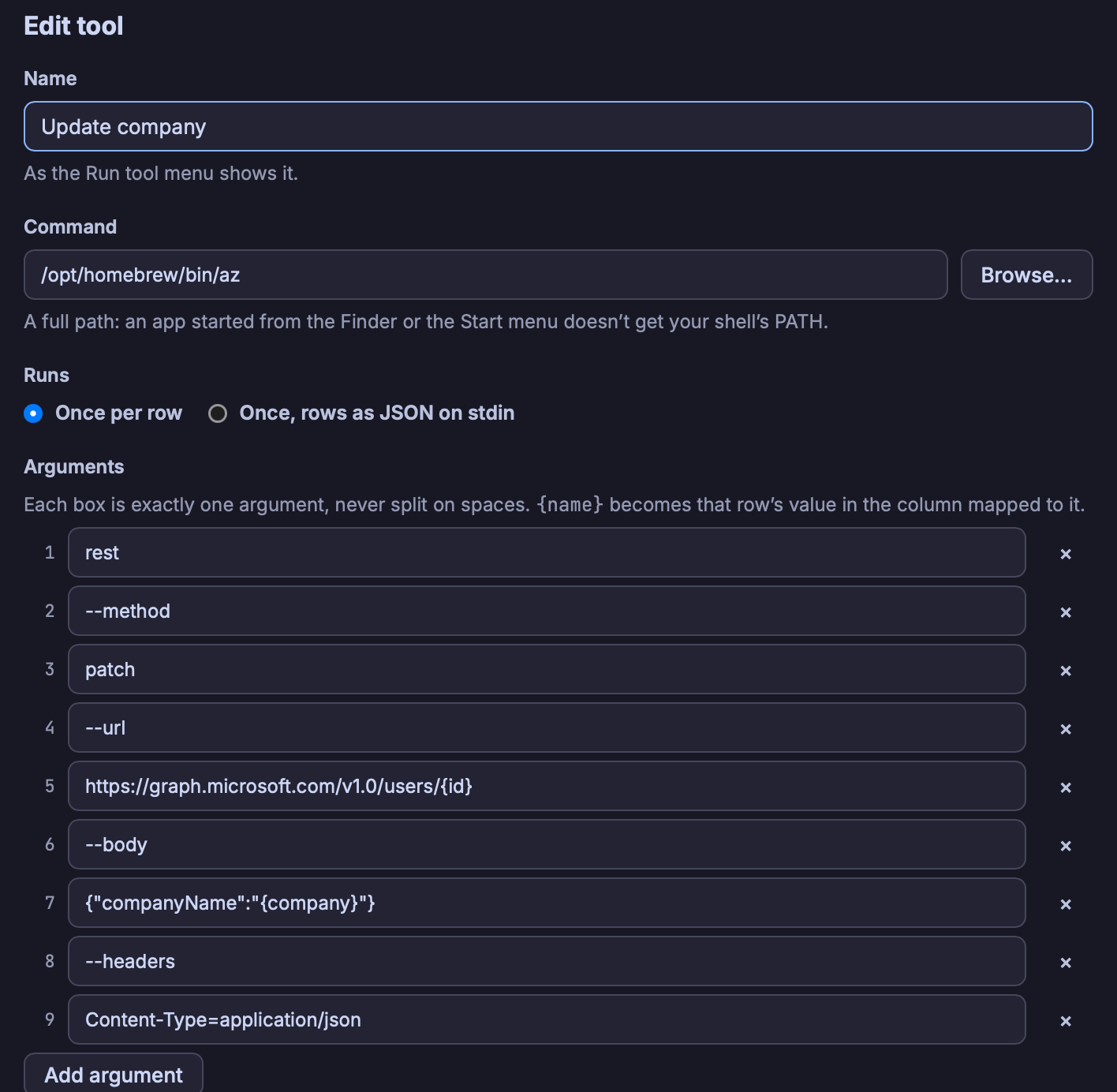
When you run this tool, it allows you to remap the parameters if you want or provide your won value. Otherwise, it will use the column names that match the parameter name.
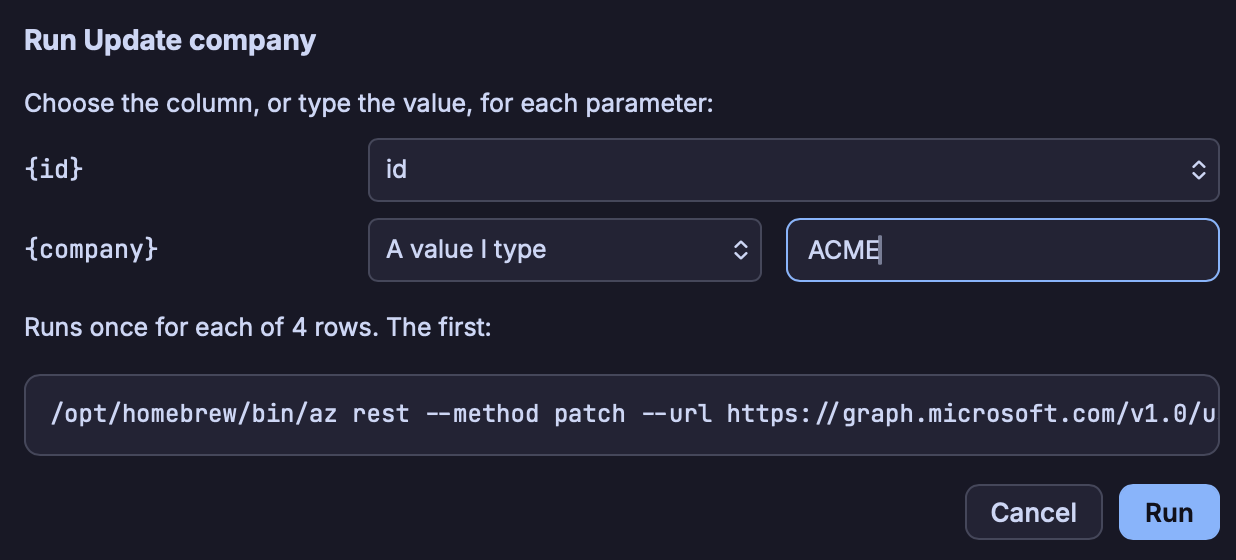
The reason why I went for this approach instead of allowing various scripts directly or having built-in tools, is to keep it as non-complex as possible. Built-in tools will always have gaps and script support will never be as good as proper IDEs and thats not Kustodian's scope.
Instead, you can write your scripts in your favorite way or use your installed applications by configuring them as tools in Kustodian.
Workbooks
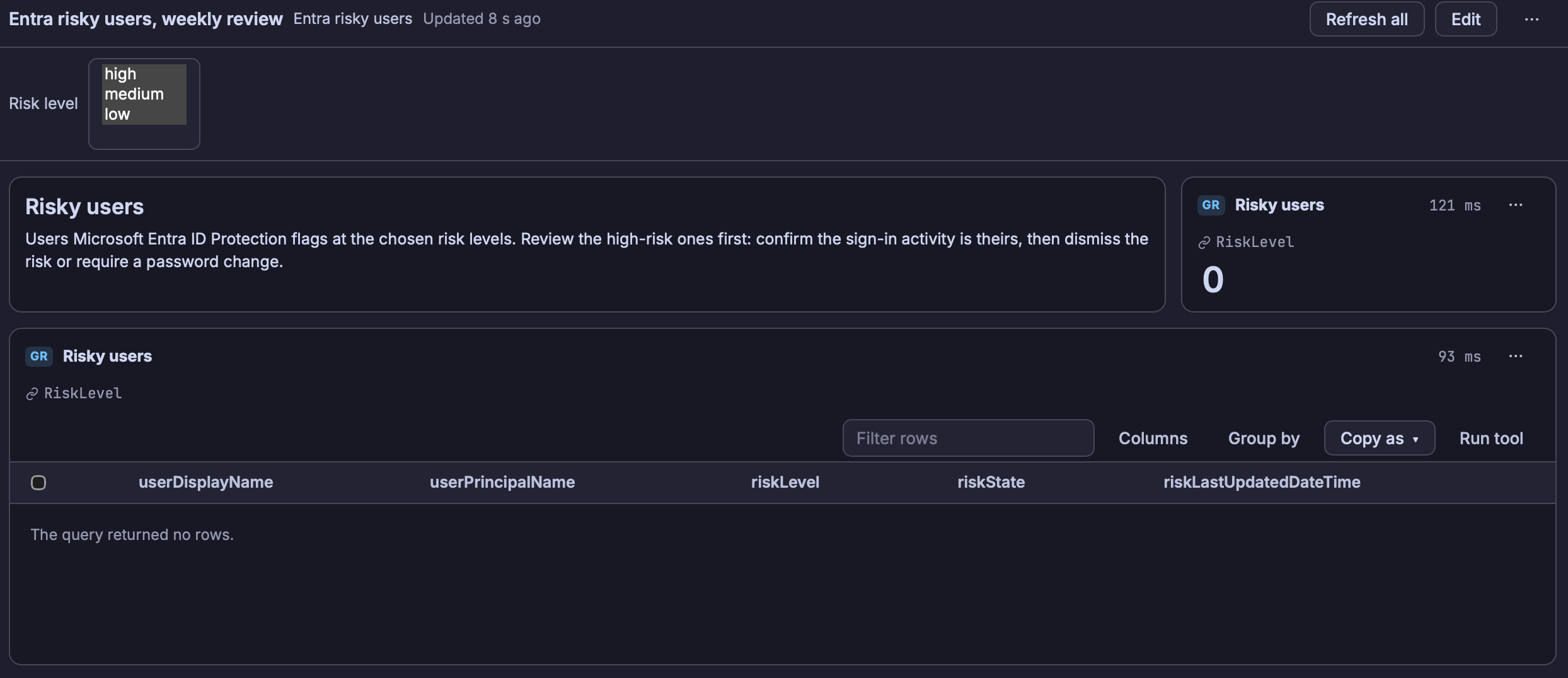
Then, of course, I started thinking that workbooks would be useful. Like with the Azure workbooks, you can mix and match various widgets that are backed by KQL-queries.
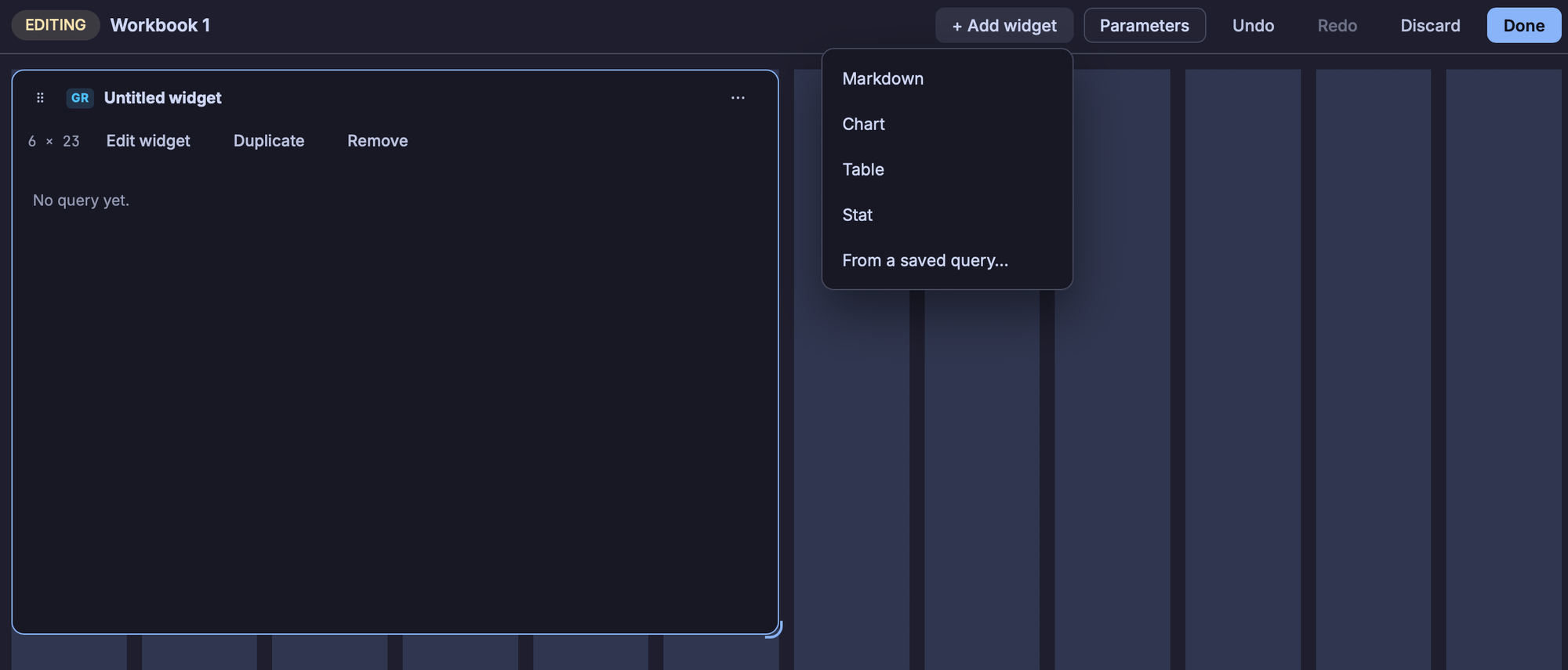
Different from the Azure workbooks, here you can have data from different sources. But of course, unlike Azure workbooks these workbooks are local to you and not available online to your colleagues or anyone else.
Solutions
Inspired by Microsoft Sentinel solutions where anyone can bundle up queries, workbooks, etc and then offer it to the world, Kustodian also supports installing curated solutions so you can benefit from others' good ideas.
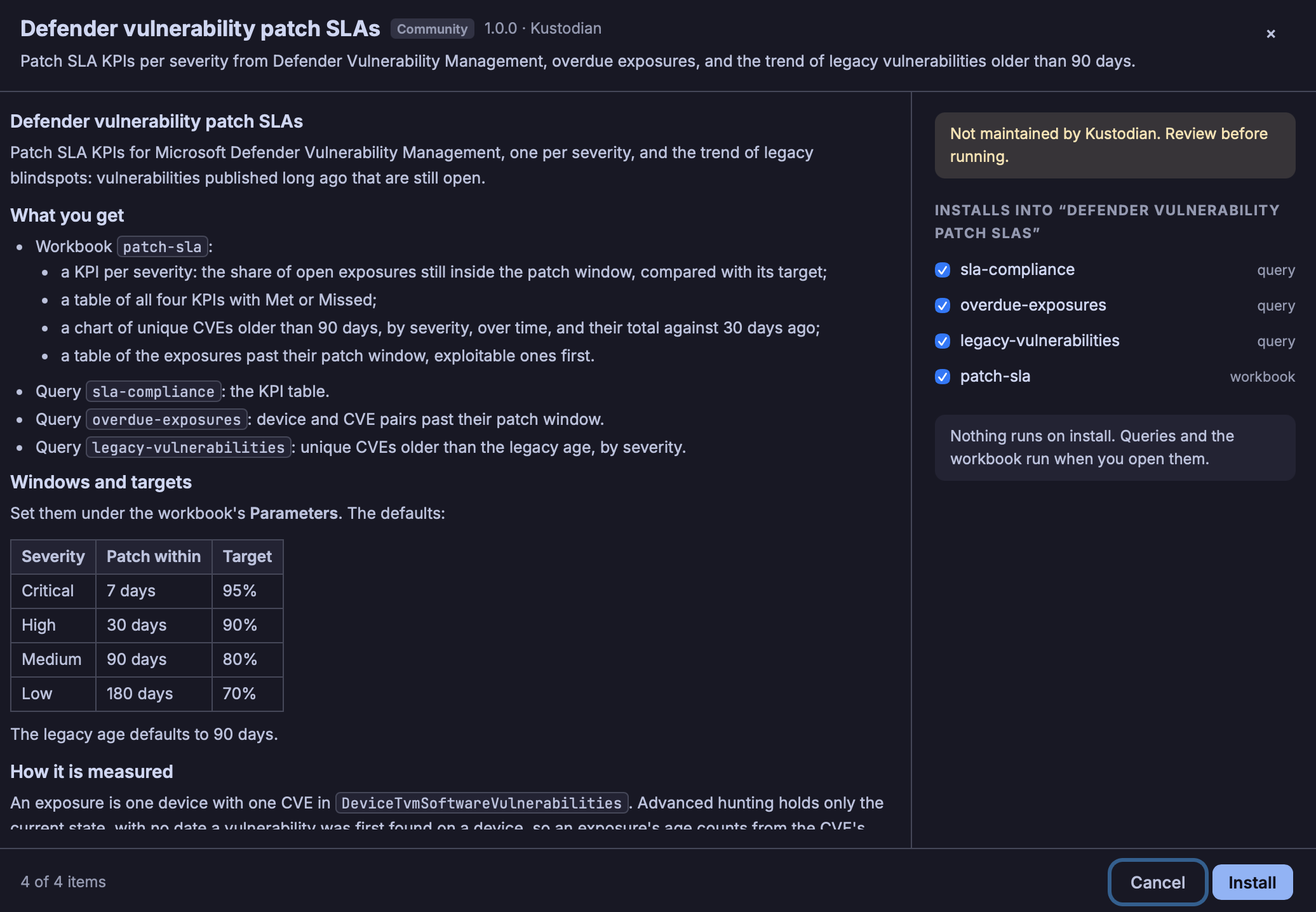
Solutions can also include a set of tool configurations and these are always reviewed when they show up in PRs to ensure no shady business is being added to Kustodian.
More information about solutions here.
Summary
This has been a lightweight run-through of Kustodian's features and I hope its tickled your curiosity.
The application has install packages for Windows, MacOS and Linux and has signed executables (for Windows and MacOS).